Run your side business from your phone. Pay once.
Moonlighter keeps your clients, jobs, invoices, payments, expenses and mileage in one simple app. It works offline, syncs across your devices, and never charges a monthly fee.
- No subscription
- Works offline
- iPhone, iPad, Android, Mac & PC
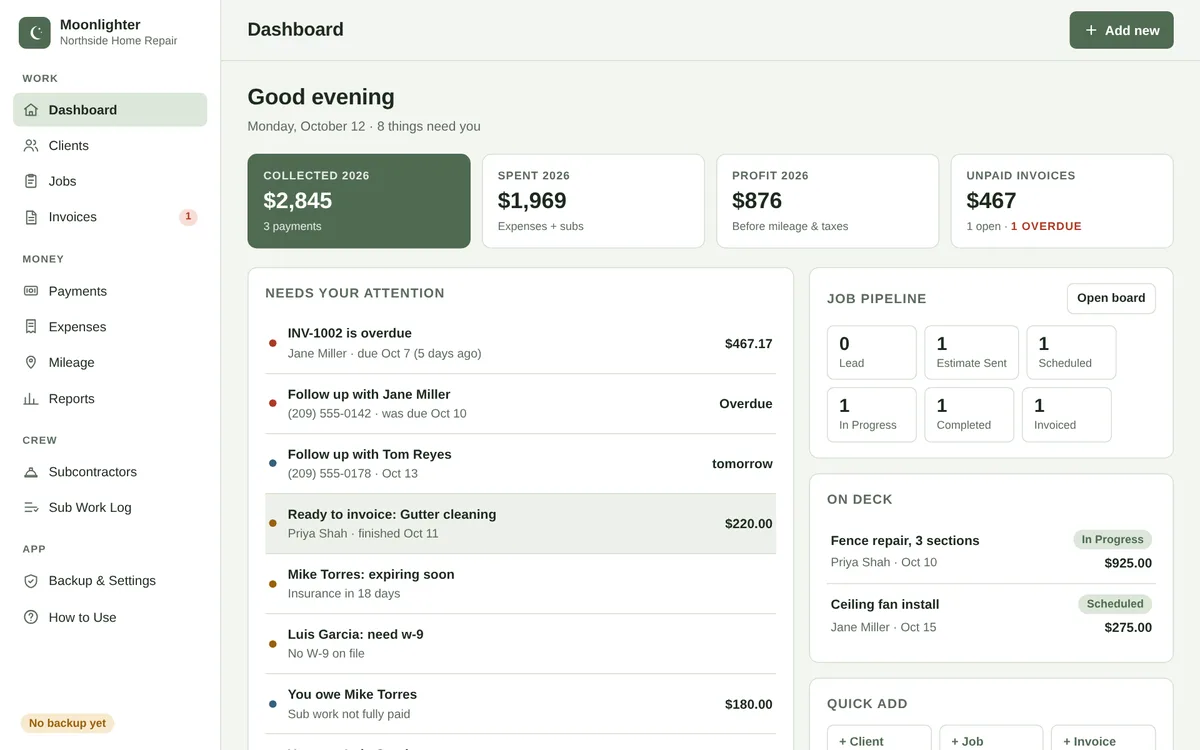
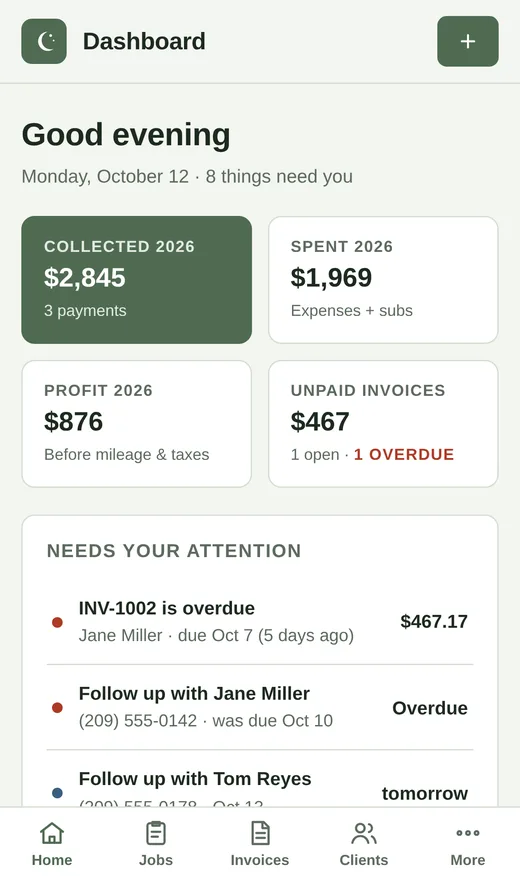
Everything a one-person business needs. Nothing it doesn't.
Built for people running a business on nights and weekends, not accountants.
Clients & follow-ups
Every client, their jobs and what they owe. Follow-up reminders show up on your dashboard when they're due.
Job board
Move jobs from estimate to scheduled to paid. See what's on deck this week at a glance.
Invoices in a minute
Add line items, tax and deposits, then print or save a clean PDF. Add job expenses to an invoice in one tap, with optional markup.
Payments & expenses
Log what came in and what went out. Simple categories that match what your tax preparer asks for.
Mileage log
Track business miles by trip. The deduction is figured with the right rate for each year.
Year-end ready
Profit, 1099 totals for subcontractors, and one-click CSV exports for your accountant, by year.
Set up for your kind of work
Pick your side hustle the first time you open the app. Service types, units and expense categories are ready to go. Do more than one? Add them anytime.
Your data stays yours
Moonlighter has no accounts, no servers holding your records, and no tracking.
Saved on your device
Everything you enter is stored in your browser on your own phone, tablet or computer. It works with no internet connection.
Optional Google Drive sync
Turn on sync to use the same records on every device. Moonlighter saves one file to a private app folder in your own Google Drive. It uses Google's drive.appdata permission, so it can't see, open or change any of your other Drive files.
We never see it
Your records go straight between your device and Google. We don't receive, store, sell or share them. Google also shares your email address so the app can show which account is connected.
Moonlighter's use and transfer of information received from Google APIs adheres to the Google API Services User Data Policy, including the Limited Use requirements. Read the full Privacy Policy.
Why not a subscription app?
Big-name job apps are great for bigger crews. For a side hustle, they're a monthly bill you don't need yet.
| Moonlighter | Typical subscription apps | |
|---|---|---|
| Price | One-time purchase | Monthly fee, every month |
| Works offline | Yes | Usually needs internet |
| Where your data lives | Your device + your Google Drive | Their servers |
| Setup | Open the link, pick your hustle | Account, onboarding, upsells |
Questions
How do I get it?
Buy it from our Etsy shop. Your download includes a setup guide with your link to the app. Open it, pick your side hustle, and add it to your home screen so it works like a regular app.
Does it work on iPhone and Android?
Yes. It works in Safari, Chrome and Edge on iPhone, iPad, Android, Mac and Windows. Add it to your home screen or dock and it opens in its own window.
Do I need internet?
Only the first time you open it. After that it works offline and saves on your device. If you turned on sync, it catches up when you're back online.
What happens if I lose my phone?
Turn on Google Drive sync or download a backup file from Settings. Either way, your records can be restored on a new device.
Is there a monthly fee?
No. You buy it once. Updates are included and install automatically.
Is this tax or legal advice?
No. Moonlighter helps you keep organized records. Talk to a tax professional about your specific situation.
Your side hustle deserves a real system
Get organized tonight. No subscription, no setup calls, no learning curve.